1
What is the recommended architecture for building an AI chatbot using .NET?

What is the recommended architecture for building an AI chatbot using .NET?
For a production AI chatbot in .NET, I’d recommend a modular monolith / Clean Architecture first, with an AI orchestration layer that can evolve into an agent architecture later. You generally don't need microservices just because the application uses an LLM.
Microsoft's current .NET AI guidance supports multiple model providers through
Microsoft.Extensions.AI, while Semantic Kernel and the newer agent/tooling ecosystem provide orchestration capabilities.
                    ┌──────────────────────┐
                    │   Web / Mobile UI    │
                    │ Blazor / React / etc │
                    └──────────┬───────────┘
                               │ HTTPS / SignalR
                               ▼
                    ┌──────────────────────┐
                    │    ASP.NET Core API  │
                    │ Auth / Rate limiting │
                    │ Streaming / Sessions │
                    └──────────┬───────────┘
                               │
                    ┌──────────▼───────────┐
                    │   Application Layer  │
                    │  Chat orchestration  │
                    │  Conversation logic  │
                    └──────────┬───────────┘
                               │
              ┌────────────────┼─────────────────┐
              ▼                ▼                 ▼
       ┌─────────────┐ ┌──────────────┐ ┌──────────────┐
       │ LLM Gateway │ │ RAG Service  │ │ Tool/Agent   │
       │             │ │              │ │ Orchestrator │
       └──────┬──────┘ └──────┬───────┘ └──────┬───────┘
              │               │                │
              ▼               ▼                ▼
       Azure OpenAI /   Azure AI Search    APIs / DB /
       OpenAI / other   Vector + Hybrid    Business funcs
              │
              └──────────────┬─────────────────┘
                             ▼
                    ┌──────────────────┐
                    │ Conversation DB  │
                    │ Redis / SQL etc. │
                    └──────────────────┘
Use ASP.NET Core for the API rather than allowing your frontend to communicate directly with the LLM.
Responsibilities:
Microsoft's .NET architecture guidance recommends separating application concerns even when deploying them as a single application, and Clean Architecture is particularly appropriate for non-trivial ASP.NET Core applications.
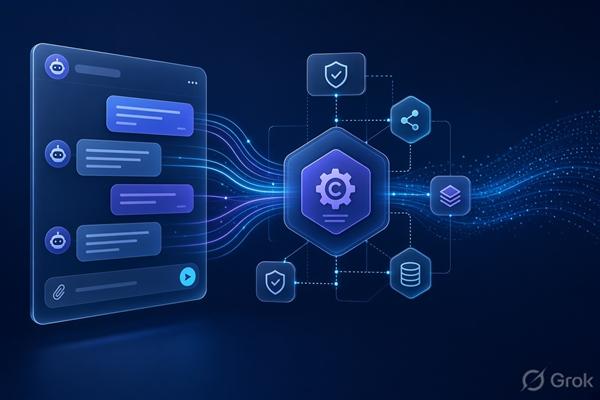
A practical project structure:
src/
  Chatbot.Api/
      Controllers/
      Hubs/
      Middleware/

  Chatbot.Application/
      Chat/
      Agents/
      RAG/
      Tools/
      Interfaces/

  Chatbot.Domain/
      Conversations/
      Users/
      Documents/

  Chatbot.Infrastructure/
      AI/
      Search/
      Persistence/
      ExternalServices/

tests/
  Chatbot.UnitTests/
  Chatbot.IntegrationTests/
Don't scatter calls to OpenAIClient or AzureOpenAI throughout your controllers.
Instead:
public interface IChatService
{
    IAsyncEnumerable<ChatChunk> StreamAsync(
        ChatRequest request,
        CancellationToken cancellationToken);
}
Then your infrastructure can implement it using the model/provider you choose.
This is particularly useful because the current .NET AI ecosystem supports providers including OpenAI, Azure OpenAI, Azure AI Foundry, Ollama, Gemini and others through common .NET abstractions.
For a Microsoft/Azure enterprise application, I'd typically start with:
ASP.NET Core
    ↓
Microsoft.Extensions.AI / orchestration layer
    ↓
Azure OpenAI / Azure AI Foundry
If the bot needs to answer questions about:
use RAG (Retrieval-Augmented Generation) rather than putting all of that information into the prompt.
User question
     ↓
Query understanding
     ↓
Search
 ┌───┴──────────────┐
 │                  │
Keyword          Vector
search           search
 │                  │
 └───────┬──────────┘
         ▼
   Semantic ranking
         ↓
   Relevant chunks
         ↓
       LLM
         ↓
 Answer + citations
Azure AI Search supports keyword, vector and hybrid search, as well as semantic ranking. (Microsoft Learn)
For an Azure-centric implementation, a very good starting stack is:
Blob Storage → ingestion/chunking → Azure AI Search → Azure OpenAI → ASP.NET Core
Microsoft also documents a .NET RAG architecture combining Azure OpenAI, Azure AI Search and storage, including automatic citations.

If the chatbot needs to do things, don't give the LLM direct access to your database.
Expose controlled tools:
public interface IOrderTools
{
    Task<OrderStatus> GetOrderStatusAsync(string orderId);
    Task CancelOrderAsync(string orderId);
}
The architecture becomes:
                   LLM
                    │
              decides to call
                    │
                    ▼
             Tool interface
                    │
                    ▼
          Application service
                    │
                    ▼
       Authorization + validation
                    │
                    ▼
             External system
This gives you a crucial security boundary.
Microsoft's current agent architecture similarly separates agents, skills and tools, with tools representing discrete operations exposed through defined interfaces/schemas.
Semantic Kernel is useful when your chatbot needs orchestration, plugins/tools, memory, structured AI workflows, or agent-like behavior.
Its kernel acts as a central dependency-injection/orchestration point for AI services and plugins.
For example:
ChatService
    │
    └── Semantic Kernel
          ├── Chat completion
          ├── RAG plugin
          ├── Order plugin
          ├── Customer plugin
          └── Notification plugin
I wouldn't introduce Semantic Kernel merely because "it's an AI application." For a simple chatbot:
ASP.NET Core
    ↓
Microsoft.Extensions.AI
    ↓
LLM
may be enough.
Introduce an orchestration/agent framework once you actually have multiple tools, workflows, or agents.
Don't rely on the model to remember everything.
Use:
SQL/PostgreSQL/SQL Server
for durable conversation records:
Conversation
 ├── Id
 ├── UserId
 ├── CreatedAt
 └── Title

Message
 ├── Id
 ├── ConversationId
 ├── Role
 ├── Content
 ├── Tokens
 └── CreatedAt
And optionally Redis for:
For long conversations, don't blindly send the entire history to the model. Use:
Recent messages
       +
Conversation summary
       +
Relevant retrieved memories/documents
       ↓
      LLM
This is especially important for enterprise chatbots.
Your pipeline should look more like:
User
 ↓
Authentication
 ↓
Authorization
 ↓
Prompt/input validation
 ↓
Conversation context
 ↓
RAG with permission filtering
 ↓
LLM
 ↓
Tool authorization
 ↓
Output validation
 ↓
User
For example, if Alice isn't allowed to access document X, the RAG layer must prevent document X from reaching the model. Don't rely on the LLM to decide whether Alice is allowed to see it.
For tools that modify data, add explicit authorization and preferably confirmation for consequential operations.

Track at least:
Request
 ├── latency
 ├── model
 ├── input/output tokens
 ├── estimated cost
 ├── retrieved documents
 ├── tool calls
 ├── errors
 └── user feedback
You want to be able to answer:
"Why did the chatbot give this answer?"
That means retaining enough trace information to reconstruct:
User question
     ↓
Retrieved context
     ↓
Prompt/model configuration
     ↓
Tool calls
     ↓
Model response
Also build an evaluation set of representative questions and measure things such as answer correctness, retrieval quality, citation accuracy, latency and cost.
For a typical enterprise chatbot, my starting architecture would be:
| Layer | Recommendation |
|---|---|
| UI | React / Blazor |
| API | ASP.NET Core |
| Architecture | Clean Architecture / modular monolith |
| AI abstraction | Microsoft.Extensions.AI |
| Orchestration | Semantic Kernel or Agent Framework when needed |
| Model | Azure OpenAI / Azure AI Foundry |
| RAG | Azure AI Search |
| Primary DB | SQL Server/PostgreSQL |
| Cache | Redis |
| Documents | Azure Blob Storage |
| Authentication | Microsoft Entra ID |
| Secrets | Managed Identity + Key Vault |
| Observability | OpenTelemetry + Application Insights |
| Deployment | Azure App Service / Container Apps |
| Async jobs | Azure Service Bus / background workers |
Microsoft's current .NET AI documentation specifically covers chat applications, RAG, vector search, agents, tool execution and evaluation, so this stack aligns well with the current .NET ecosystem.
Don't start with "microservices + agents + vector database."
Start with:
ASP.NET Core
      ↓
Application/Chat service
      ↓
LLM
      ↓
SQL
Then add capabilities as requirements appear:
Need company knowledge?   → RAG / AI Search
Need actions?              → Tools
Need complex orchestration? → Agent framework / Semantic Kernel
Need scale?                → Redis + queues + horizontal scaling
Need multiple services?    → Extract services only when justified
That gives you a system that's straightforward to develop and test initially, while leaving room for a sophisticated agent/RAG architecture later. Microsoft's ASP.NET Core architecture guidance likewise notes that a single deployed application is often easier to build, deploy and debug than prematurely splitting it into services.
If you're building a specific chatbot (e.g. customer support, internal enterprise knowledge bot, SQL/database assistant, or an agent that performs actions), the optimal architecture changes substantially.