Introduction
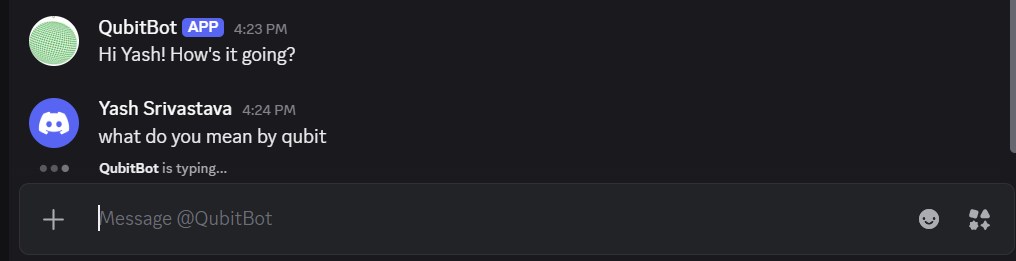
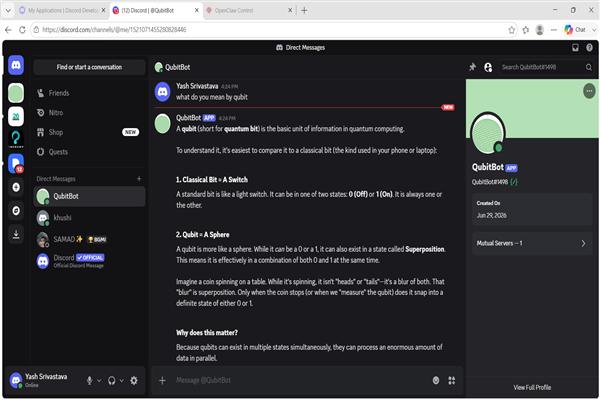
After Collecting the conceptual knowledge it's time for implementation of the OpenClaw. Here we will get to know that how can we setup the OpenClaw and after that we will start with a small project of a Chatbot which will be integrated to Discord named QubitBot.
How to setup OpenClaw?
OpenClaw provides an easy setup process by using which you can setup very easily. OpenClaw have some predefined dependencies like Node.js and Git, now:
Step 1: Install the dependencies
By using a single command you can install OpenClaw with the other dependencies, use command:
iwr -useb https://openclaw.ai/install.ps1 | iexStep 2: Setup with OpenClaw
Now, provide the basic information whatever is asked by OpenClaw like:
- AI Provider
- Model Configuration
- Channel Configuration
AI provider: This request is arise by the OpenClaw to connect you with the the openclaw with the Model providers like OpenAI, Anthropic, Google, etc.
note:- If you want to access with the openSouce model or for free you can select:
More then select ollama
Model Configuration:- Here you have to select which paid model which you want to use with openClaw. like:- GPT 5.5, Claude, Gemini, LLama3, etc.
note:- If you are working with ollama select any of Local model or cloud based model like: qwen, llama, mistral models. Here I am using: gemma4:31b-cloud model.
Step 3: Openclaw Dashboard
To open the Dashboard of OpenClaw use:
OpenClaw dashboardnow, you are connected with your openclaw dashboard.
Building a Chatbot using OpenClaw
Step 1: Open OpenClaw Dashboard
To open the Dashboard of OpenClaw use:
OpenClaw dashboardStep 2: Start Prompting
here the prompt plays the very important role, for building an AI chatbot which will interact with the Discord I an using the prompt:
Set up my Discord connection. Here's what you need:
Bot token: PASTE_YOUR_BOT_TOKEN_HERE
Server ID: PASTE_YOUR_SERVER_ID_HERE
My User ID: PASTE_YOUR_USER_ID_HERE
Do all of this:
1. Update my openclaw.json config with these values.
2. Create the channels you think I need (general chat, code tasks, research, automations — or whatever makes sense).
3. Generate the OAuth2 invite link with the right bot permissions
  (Send Messages, Read Message History, Attach Files, Use Slash Commands, Add Reactions, Embed Links) and give me the link to paste in my browser.
4. Once I tell you I've authorized the bot, restart the gateway and verify everything is connected.
Now, when you enter this prompt the automated task will begin and it will also connect the Discord with the codes.
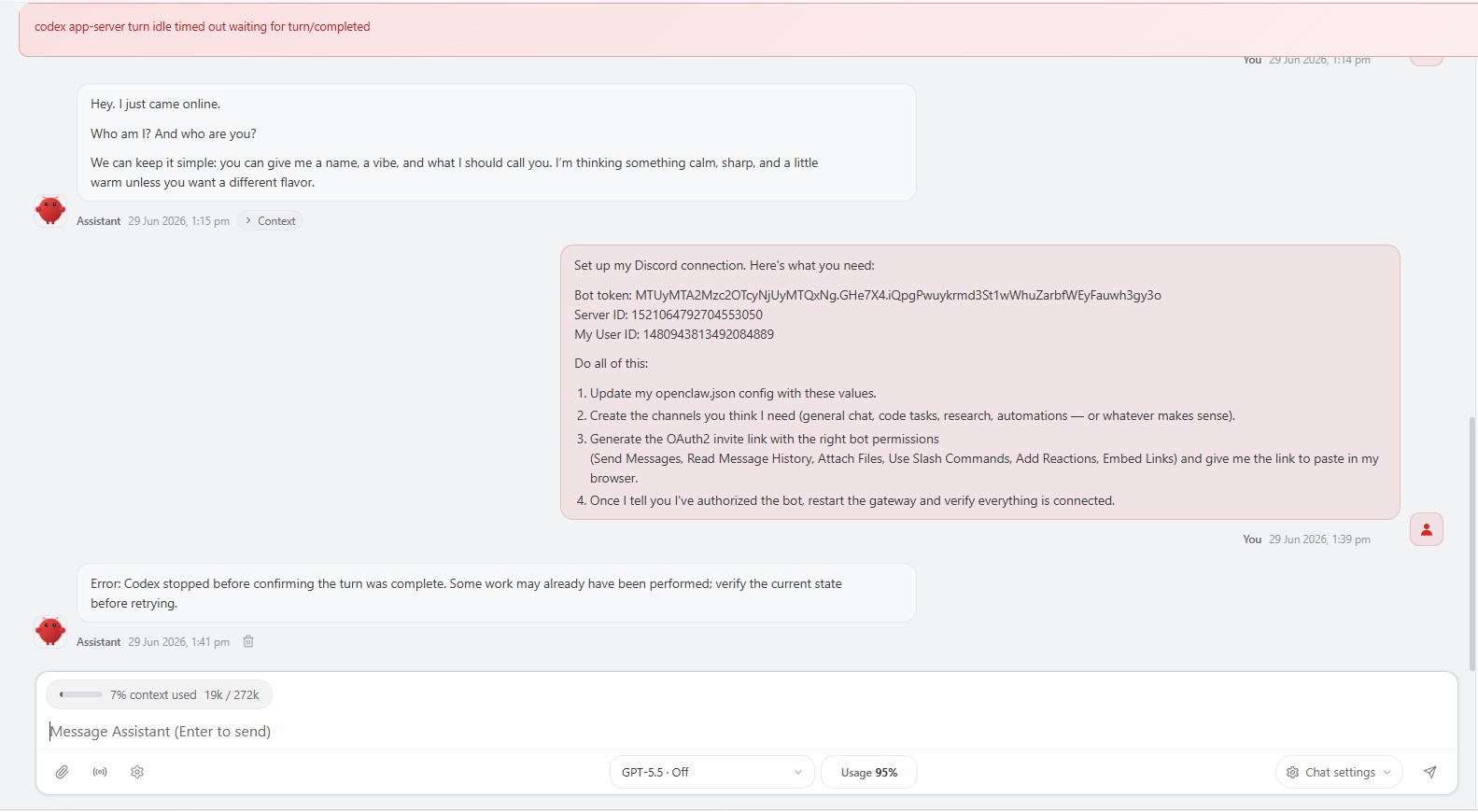
Here firstly the model response with an error and the reply as:
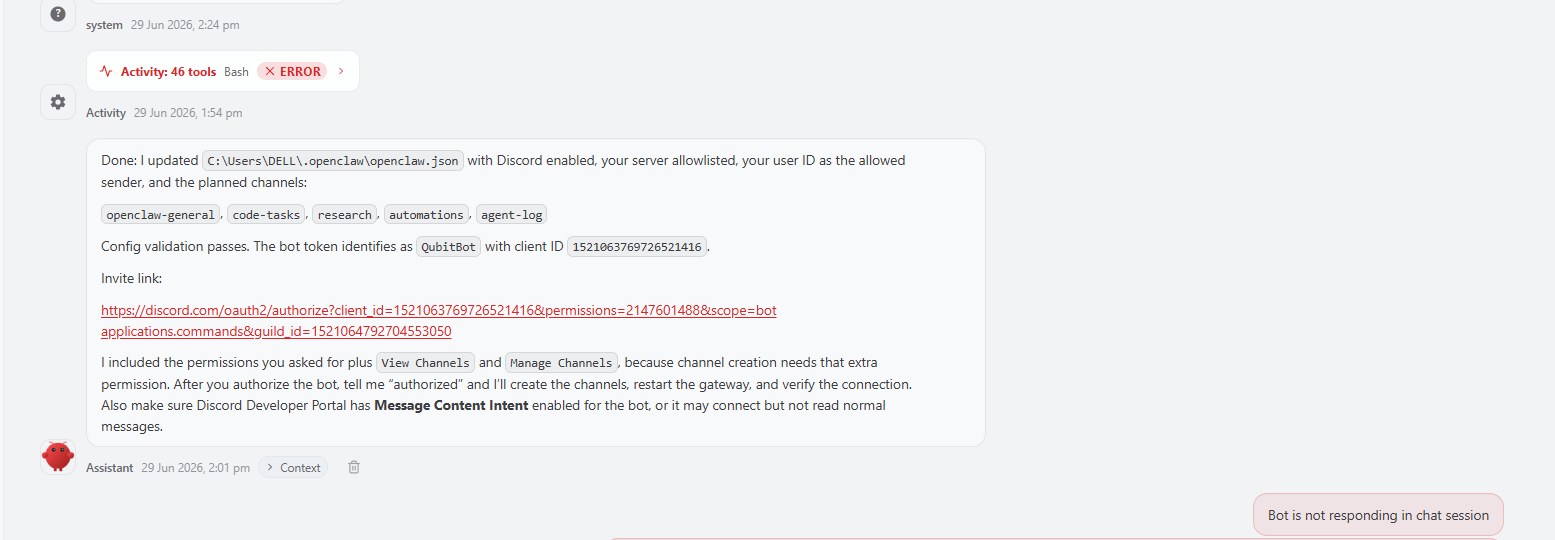
Step 3: Fixing the bug
now here we can allow the access to the OpenClaw which can perform the task on your behalf and deploy the model in the server.
Step 4: Testing
Now you can test your bot with some prompt like: