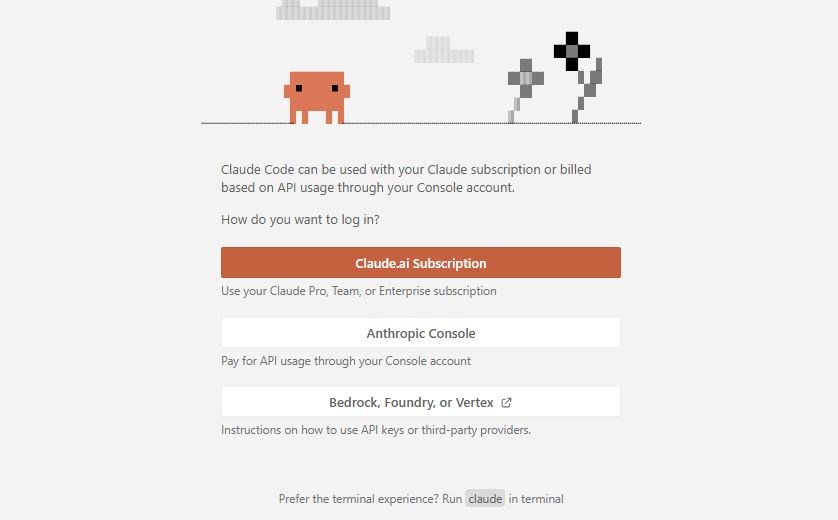
If you’ve purchased a Claude Pro (paid) plan, successfully logged into the VS Code extension, and then suddenly, after a few days, it starts showing:
“Signup/Login first to continue”
…while the same account is still logged in on the Claude website, you’re dealing with a common but confusing issue.
Let’s break down what’s really happening.
The Situation
- You bought a Claude Pro monthly plan
- You logged into the VS Code extension successfully
- Everything worked initially
- After 2-3 days, the extension logs you out
- It asks you to “Login first” again
- But the Claude website still shows you as logged in
- This feels like a bug, but it’s usually not exactly that.
Why This Happens
1. VS Code Session Expires Separately
The Claude website and the VS Code extension do not share the same session.
- The website keeps you logged in using browser cookies.
- The VS Code extension uses its own authentication token.
- That token can expire after a few days.
So even if the website works, the extension may silently log you out.
2. Paid Plan ≠ Permanent Authentication
Buying a Pro plan only gives you access—it does not keep the extension permanently logged in.
- Your subscription is active and needs renewal
3. Token Refresh Issues (Common Cause)
Ideally, the extension should refresh your login automatically, but sometimes:
- Token refresh fails
- Network interrupts the session
- VS Code goes idle or sleeps
- Extension bugs prevent re-authentication
Result: You get forced back to “Login first”.
4. VS Code Environment Limitations
Unlike browsers, VS Code:
- Doesn’t manage sessions as robustly
- May lose stored credentials after restart/update
- Can clear extension state in some cases
5. Account Still Valid, Only Session Lost
Important distinction:
- Your account is still active (Pro plan intact)
- Only the extension session has expired or broken
That’s why the website still works fine.
How to Fix It (Step-by-Step)
- Re-login to the Extension
- Open the Claude extension in VS Code
- Click Login / Sign In
- Complete the authentication again
This usually resolves it immediately.
2. Restart VS Code
After logging in again:
- Close VS Code completely
- Reopen it to stabilize the session
3. Update or Reinstall Extension
If the issue repeats frequently:
- Update the extension
- Or uninstall → reinstall it
4. Avoid Long Idle Sessions
Try not to:
- Keep VS Code open for days without activity
- Use unstable networks during login
5. Check Account Consistency
Make sure:
- The same email/account is used everywhere
- No multiple Claude accounts are causing confusion
Is This a Bug?
It’s partly expected behaviour (due to session separation), but frequent logouts can also indicate:
- Minor bugs in the extension
- Token refresh issues
- Stability limitations of the current integration
Key Takeaway
Even with a paid Claude Pro plan, the VS Code extension requires separate and renewable authentication.
So when you see “Login first”, it usually means:
Your session expired, not your subscription.
This can definitely feel frustrating, especially after paying for a plan. But the good news is:
- Your account is safe
- Your subscription is active
- The fix is usually just a quick re-login
If the problem starts happening every day, then it may be worth reporting to Claude support, as that points more toward an extension-side issue rather than normal session expiry.
