0
How to create the XMLHttpRequest object and what are the uses of XMLHttpRequest object in AJAX?

1 Answer
0
An object of XMLHttpRequest is used for Asynchronous Communication between Client and Server.
There are some uses of XMLHttpRequest.
- It sends data to the client in the background.
- It receives data from the server.
- Updates it on the webpage without reloading it.
Create the XMLHttpRequest in Ajax.
Syntax
XML_Http_name = new XMLHttpRequest();
Callback function of XMLHttpRequest in ajax.
Syntax
XML_Http_name.onload = function() {
  // the callback function should contain the code to execute when the response is ready.
}
Send a Request on a server in ajax
To send a request to a server, you can use the open() and send() methods of the XMLHttpRequest object
XML_Http_name.open(method, url, async, user, psw);
XML_Http_name.send();
method: the request type GET or POST

URL:    the file location

async:  true (asynchronous) or false (synchronous)

user:   optional user name

psw:    optional passwordxhttp.open('mwthod', 'ajainfo.txt');
Example
<!doctype html>

<html lang='en'>

<head>

    <!-- Required meta tags -->

    <meta charset='utf-8'>

    <meta name='viewport' content='width=device-width, initial-scale=1'>

    <!-- Bootstrap CSS -->

    <link href='https://cdn.jsdelivr.net/npm/bootstrap@5.0.2/dist/css/bootstrap.min.css' rel='stylesheet' integrity='sha384-EVSTQN3/azprG1Anm3QDgpJLIm9Nao0Yz1ztcQTwFspd3yD65VohhpuuCOmLASjC' crossorigin='anonymous'>

    <title>Ajax Example</title>

</head>

<body>

    <div class='container'>

        <h1 class='text-center'>Ajax Example </h1>

        <button type='button' onclick='loadDoc()' class='btn btn-primary my-3' >Click me</button>

        <p id='loadAjax'>Click button then call the ajax without reload the page</p>

    </div>

    <script>

        function loadDoc() {

            // creating instance of XMLHttpRequest()

            var xhttp = new XMLHttpRequest();

            xhttp.onreadystatechange = function () {

                if (this.readyState == 4 && this.status == 200) {

                    document.getElementById('loadAjax').innerHTML = this.responseText;

                }

            };

            xhttp.open('GET', 'ajademo.txt', true);

            xhttp.send();

        }

    </script>

    <script src='https://cdn.jsdelivr.net/npm/bootstrap@5.0.2/dist/js/bootstrap.bundle.min.js' integrity='sha384-MrcW6ZMFYlzcLA8Nl+NtUVF0sA7MsXsP1UyJoMp4YLEuNSfAP+JcXn/tWtIaxVXM' crossorigin='anonymous'></script>

</body>

</html>
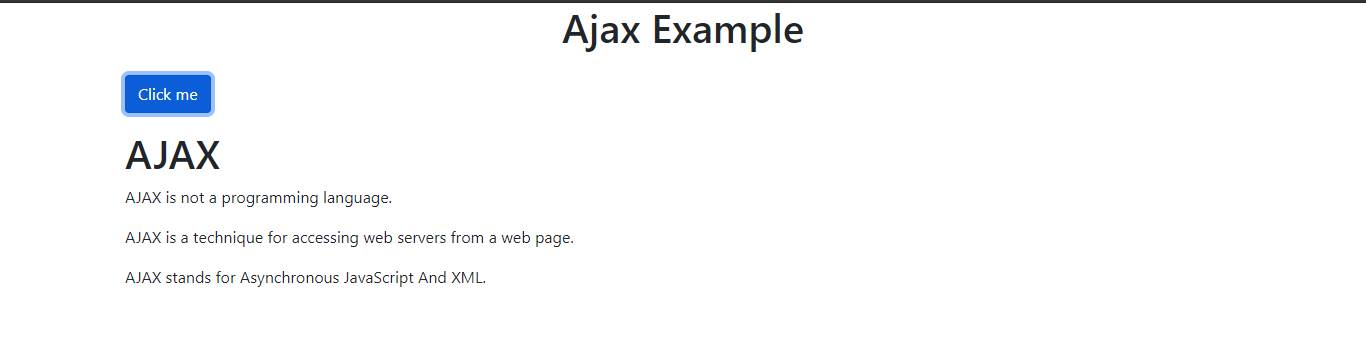
Output
Before calling ajax

After calling ajax