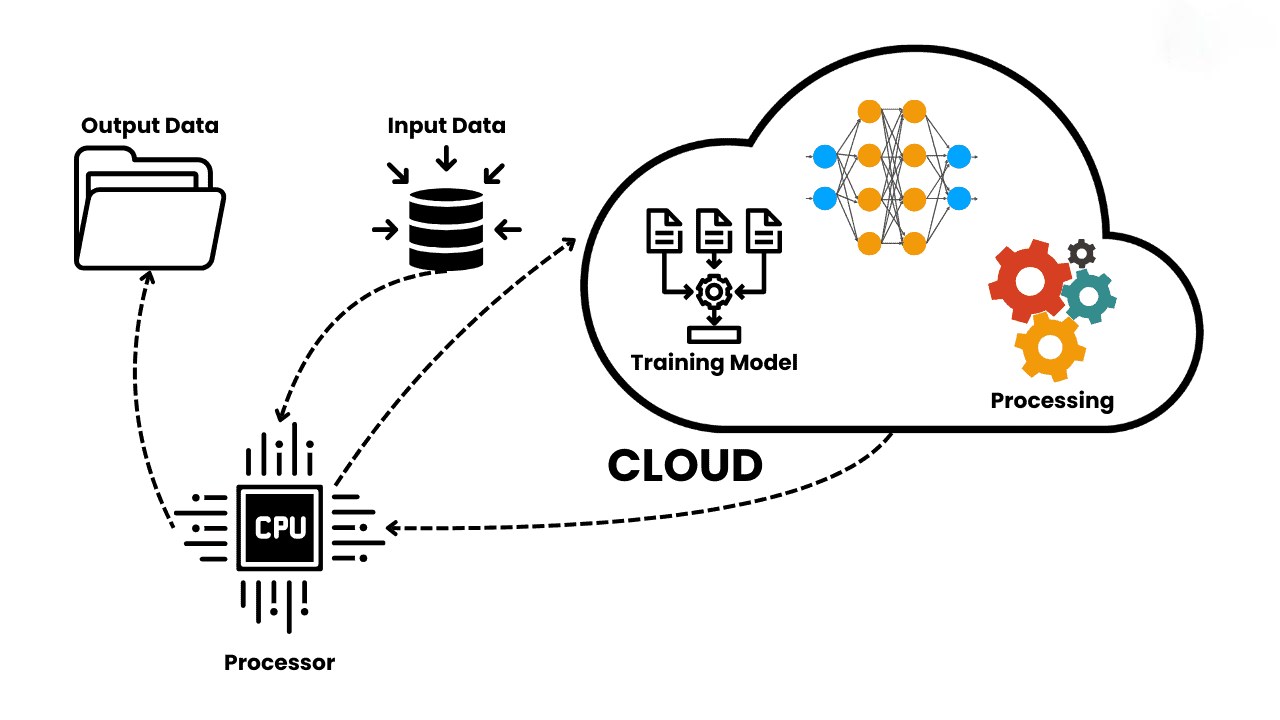
Cloud AI services allow developers to use powerful Artificial Intelligence models without building everything from scratch. Instead of training models on your own computer, you send data to cloud servers where AI models run and return results.
Companies like
provide ready-to-use AI through APIs.
This blog explains step-by-step how cloud AI works internally.
1. What is Cloud AI?
Cloud AI means:
AI models run on remote servers, not on your local computer.
Instead of installing ML libraries and training models locally, you call an API.
Example:
User → API → Cloud AI → ResultExample use cases:
- Chatbots
- Image recognition
- Speech-to-text
- Translation
- Spam detection
- Recommendation systems
2. Basic Architecture of Cloud AI
Cloud AI works in 5 main steps.
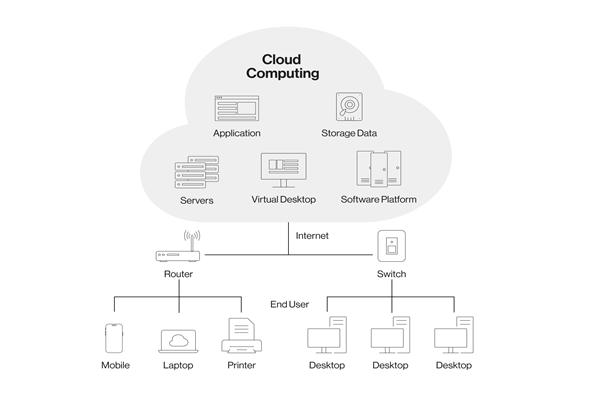
Client → API → Cloud Server → AI Model → Response
Step 1 — Client Request
Your app sends data to cloud.
Example:
POST /predict
{
   "text": "This is spam"
}
Client can be:
- Website
- Mobile app
- Backend (.NET, Java, Node)
- IoT device
Step 2 — API Gateway
Request goes to API gateway.
API gateway checks:
- API key
- Authentication
- Rate limit
- Request format
Example:
api.openai.com
vision.googleapis.com
azure.ai.com
API Gateway protects AI servers.
Step 3 — Load Balancer
Cloud AI services handle millions of requests.
Load balancer sends request to free server.
Request → Load Balancer → Server 1 / Server 2 / Server 3
Why needed?
- High traffic
- Fast response
- No crash
Step 4 — AI Model Server
Now request reaches AI model.
Server contains:
- Trained model
- GPU / TPU
- Runtime
- ML framework
Example frameworks:
- TensorFlow
- PyTorch
- ONNX
- ML.NET
Model does:
Input → Neural Network → OutputExample:
"This is spam" → Model → Spam = TrueStep 5 — Response Returned
Result goes back to client.
Cloud → API → Client → UIExample response:
{
   "prediction": "spam",
   "confidence": 0.92
}
3. Internal Components of Cloud AI
3.1 Model Training System
Before AI runs, it must be trained.
Training happens on powerful machines.
Steps:
- Collect data
- Clean data
- Train model
- Save model
- Deploy model
Training usually happens offline.
3.2 Model Storage
Trained models stored in cloud storage.
Example:
- Blob Storage
- S3
- Model Registry
Model file:
model.pt
model.onnx
model.pkl
model.zip
3.3 Inference Server
Inference = prediction
Server loads model into memory.
Then:
Input → Model → Output
Inference server must be fast.
Uses:
- GPU
- CUDA
- TPU
- High RAM
3.4 Scaling System
Cloud AI auto scales.
If traffic increases:
1 server → 10 servers → 100 servers
Auto scaling done by:
- Kubernetes
- Containers
- Serverless
3.5 Monitoring System
Cloud checks:
- Errors
- Speed
- CPU usage
- GPU usage
- API calls
Tools:
- Logs
- Metrics
- Alerts
4. Real Example — ChatGPT Cloud Flow
Example using
OpenAI API
User → Website → Backend → OpenAI API → Model → Response
Step flow:
- User types message
- Website sends to backend
- Backend calls API
- API runs GPT model
- Result returned
Example:
POST https://api.openai.com/v1/chatResponse:
Hello, how can I help you?5. Types of Cloud AI Services
5.1 NLP Services
- Chat
- Translation
- Summarization
- Examples:
- OpenAI GPT
- Google NLP
- Azure AI
5.2 Vision Services
- Face detection
- OCR
- Image classification
Example:
Image → API → Labels5.3 Speech Services
- Speech to text
- Text to speech
- Voice AI
5.4 Prediction Services
- Spam detection
- Price prediction
- Recommendation
6. Why Cloud AI is Popular
| Reason | Why |
|---|---|
| No GPU needed | Cloud has GPU |
| Easy API | Just call API |
| Fast | High performance servers |
| Scalable | Handles millions users |
| Secure | Managed infra |
7. Cloud AI vs Local AI
| Feature | Local | Cloud |
|---|---|---|
| Setup | Hard | Easy |
| Speed | Slow | Fast |
| GPU | Needed | Not needed |
| Cost | High | Pay per use |
| Scaling | Hard | Easy |
8. Example – Using Cloud AI in .NET
Example:
HttpClient → API → AI → ResultC# example:
var client = new HttpClient();
client.DefaultRequestHeaders.Add("API-Key", key);

var res = await client.PostAsync(url, content);
Result:
AI response received9. Future of Cloud AI
Future systems will have:
- Serverless AI
- Real-time AI
- Edge AI + Cloud AI
- Auto-training models
- AI pipelines
Cloud AI will become standard for all apps.
10. Summary
Cloud AI works like this:
Client
 ↓
API Gateway
 ↓
Load Balancer
 ↓
AI Server
 ↓
Model
 ↓
Response
Cloud AI lets developers use powerful AI without building infrastructure.
