Real-time communication has become a common requirement in modern applications.
Whether you are building:
- Live notifications
- Order-status updates
- Real-time dashboards
- Background-job progress
- Log streaming
- AI response/token streaming
- Stock or telemetry updates
- Monitoring systems
- Live feeds
you often need the server to send information to a client without the client continuously polling the server.
Traditionally, developers have had several choices:
- HTTP polling
- Long polling
- WebSockets
- SignalR
- Server-Sent Events (SSE)
With ASP.NET Core in .NET 10, Server-Sent Events have become a first-class part of the framework through
TypedResults.ServerSentEvents(...).
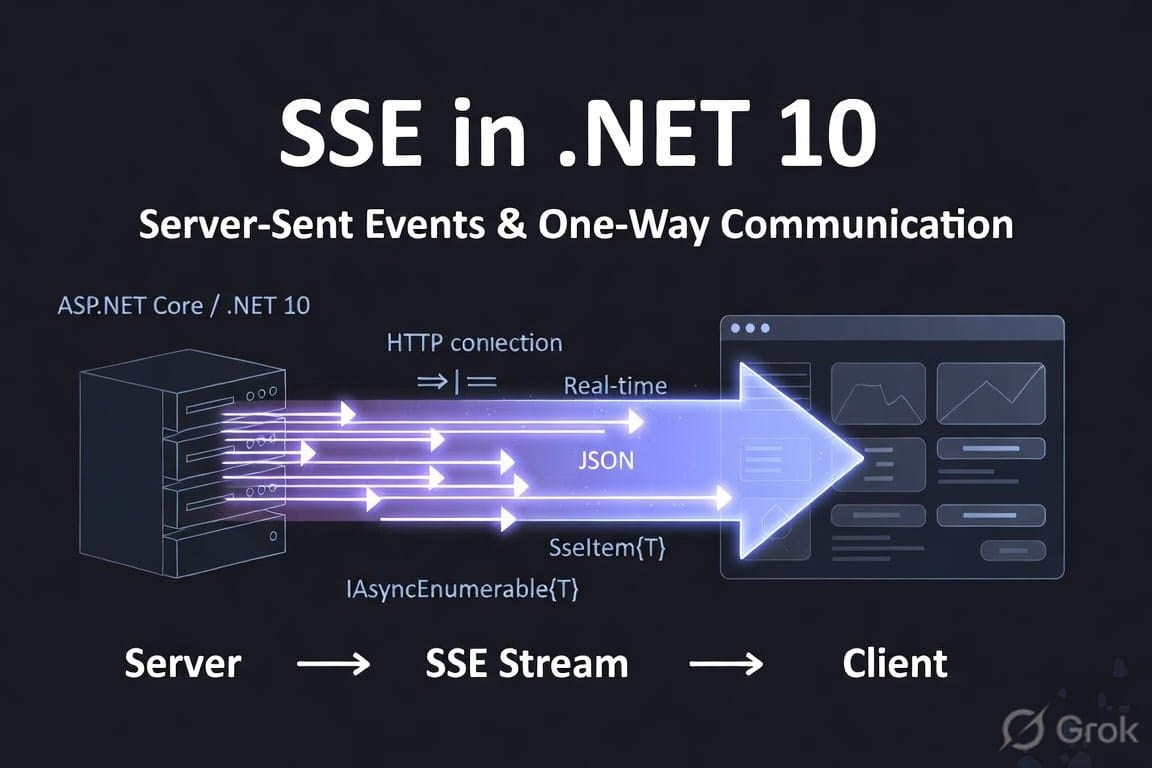
Microsoft describes SSE support in ASP.NET Core 10 as a server-push technology that allows a server to send a stream of event messages to a client over a single HTTP connection.
This makes SSE particularly interesting when your communication pattern is primarily one-way: server → client.
1. What exactly is SSE?
SSE stands for Server-Sent Events.
The basic idea is simple:
             HTTP connection
Client  ─────────────────────────>  Server
        request

Client  <─────────────────────────  Server
             event 1

Client  <─────────────────────────  Server
             event 2

Client  <─────────────────────────  Server
             event 3

Client  <─────────────────────────  Server
             event 4
The client establishes an HTTP connection to the server.
Instead of the server returning one response and closing the connection, the server keeps the response open and progressively writes events to it.
So the important concept is:
SSE allows the server to continuously push events to the client over a single HTTP connection.
ASP.NET Core 10 now provides a dedicated ServerSentEvents result for this scenario.
2. Is SSE really one-way communication?
Yes — and this is one of the most important things to understand.
SSE is fundamentally:
Server
   │
   │ events
   ▼
Client
The SSE connection itself is not a bidirectional messaging channel.
The client initially makes an HTTP request:
GET /events
The server then keeps the HTTP response open:
GET /events
        │
        ▼
       Server
        │
        ├── event 1
        ├── event 2
        ├── event 3
        └── event 4
The client receives those events as they arrive.
If the client needs to send something to the server, it normally uses a separate HTTP request.
For example:
                     ┌───────────────┐
                     │    Server     │
                     └───────┬───────┘
                             │
                     SSE events
                             │
                             ▼
                     ┌───────────────┐
                     │    Client     │
                     └───────────────┘
                             │
                     POST /command
                             │
                             ▼
                     ┌───────────────┐
                     │    Server     │
                     └───────────────┘
Therefore:
SSE = server → client streaming
WebSocket = client ↔ server bidirectional communication
This distinction is extremely important when deciding which technology to use.
3. Why is SSE useful?
Imagine you have an order-management application.
A user submits an order:
POST /orders
The server starts processing it.
The order might go through several states:
Order Created
      ↓
Payment Processing
      ↓
Payment Completed
      ↓
Preparing
      ↓
Shipped
      ↓
Delivered
Without SSE, the browser might repeatedly ask:
GET /orders/123/status
every few seconds.
This is polling.
For example:
Client → Server: Is the order ready?
Server → Client: No

Client → Server: Is the order ready?
Server → Client: No

Client → Server: Is the order ready?
Server → Client: Yes
This generates unnecessary requests.
With SSE:
Client → Server
       GET /orders/123/events

Server → Client
       "Payment processing"

Server → Client
       "Payment completed"

Server → Client
       "Preparing"

Server → Client
       "Shipped"
The server sends updates when something actually happens.
4. SSE vs Polling
Let's compare the two.
Polling
Client ── GET ──> Server
Client <───────── Server

wait

Client ── GET ──> Server
Client <───────── Server

wait

Client ── GET ──> Server
Client <───────── Server
The client has to keep asking.
SSE
Client ── GET ─────────────────> Server

Client <──── event ───────────── Server
Client <──── event ───────────── Server
Client <──── event ───────────── Server
Client <──── event ───────────── Server
The connection remains open.
This makes SSE particularly useful for event streams.
5. SSE vs WebSockets
A common question is:
Why not just use WebSockets?
Because the communication requirements are different.
| Feature | HTTP Polling | SSE | WebSocket |
|---|---|---|---|
| Server → Client | Yes | Yes | Yes |
| Client → Server | Yes | Separate HTTP request | Yes |
| Continuous stream | No | Yes | Yes |
| Bidirectional connection | No | No | Yes |
| Uses HTTP | Yes | Yes | Starts as HTTP, then upgrades |
| Browser support | Yes | Yes | Yes |
| Good for server notifications | Okay | Excellent | Good |
| Good for chat | Poor | Not ideal | Excellent |
| Good for live dashboard | Okay | Excellent | Excellent |
| Good for simple server push | Okay | Excellent | Often unnecessary |
If your application primarily needs:
Server → Client
then SSE can be significantly simpler than introducing a bidirectional WebSocket architecture.
6. What changed in .NET 10?
This is where .NET 10 becomes particularly interesting.
ASP.NET Core 10 introduced first-class SSE support through:
TypedResults.ServerSentEvents(...)
Microsoft documents overloads for:
IAsyncEnumerable<string>
IAsyncEnumerable<T>
and:
IAsyncEnumerable<SseItem<T>>
The latter gives you additional control over the event metadata.
This means SSE fits naturally into the modern asynchronous .NET programming model.
7. The simplest .NET 10 SSE endpoint
Let's start with a basic example.
app.MapGet("/events", async (CancellationToken cancellationToken) =>
{
    async IAsyncEnumerable<string> GenerateEvents()
    {
        while (!cancellationToken.IsCancellationRequested)
        {
            yield return $"Server time: {DateTime.UtcNow:O}";

            await Task.Delay(
                TimeSpan.FromSeconds(1),
                cancellationToken);
        }
    }

    return TypedResults.ServerSentEvents(
        GenerateEvents());
});
The important part is:
TypedResults.ServerSentEvents(...)
ASP.NET Core takes the asynchronous sequence and exposes it as an SSE response.
8. Why IAsyncEnumerable is a great fit
One of the nicest aspects of the .NET 10 implementation is that SSE works naturally with:
IAsyncEnumerable<T>
Think of an IAsyncEnumerable<T> as:
"Give me the next value whenever one becomes available."
For example:
async IAsyncEnumerable<string> GenerateEvents()
{
    yield return "Event 1";

    await Task.Delay(1000);

    yield return "Event 2";

    await Task.Delay(1000);

    yield return "Event 3";
}
The sequence doesn't need to exist completely in memory.
You can generate values over time.
That maps naturally onto an event stream.
IAsyncEnumerable
      │
      ├── value
      │
      ├── value
      │
      ├── value
      │
      └── value
           │
           ▼
        SSE stream
           │
           ▼
         Client
9. Cancellation is very important
A common mistake when implementing streaming endpoints is forgetting cancellation.
Consider:
while (true)
{
    yield return GetEvent();

    await Task.Delay(1000);
}
What happens when the browser closes the connection?
Your server-side operation should stop.
That's why you should use the request's:
CancellationToken
For example:
app.MapGet("/events", (
    CancellationToken cancellationToken) =>
{
    return TypedResults.ServerSentEvents(
        GenerateEvents(cancellationToken));
});
Then:
async IAsyncEnumerable<string> GenerateEvents(
    [EnumeratorCancellation] CancellationToken cancellationToken)
{
    while (!cancellationToken.IsCancellationRequested)
    {
        yield return $"Event: {DateTime.UtcNow:O}";

        await Task.Delay(
            TimeSpan.FromSeconds(1),
            cancellationToken);
    }
}
When the HTTP connection is aborted, cancellation can propagate through the asynchronous operation.
This is especially important for long-lived connections.
10. Sending JSON objects
SSE doesn't have to be plain strings.
.NET 10 also supports:
IAsyncEnumerable<T>
where objects other than strings are serialized using the configured JSON serializer options.
For example:
public record Notification(
    int Id,
    string Message,
    DateTime CreatedAt);
Then:
app.MapGet("/notifications",
    (CancellationToken cancellationToken) =>
{
    return TypedResults.ServerSentEvents(
        GetNotifications(cancellationToken),
        eventType: "notification");
});
And:
async IAsyncEnumerable<Notification> GetNotifications(
    [EnumeratorCancellation] CancellationToken cancellationToken)
{
    yield return new Notification(
        1,
        "Order created",
        DateTime.UtcNow);

    await Task.Delay(2000, cancellationToken);

    yield return new Notification(
        2,
        "Payment completed",
        DateTime.UtcNow);
}
The client can receive structured JSON data rather than manually parsing a string format.
11. SseItem
For more control, .NET 10 provides:
SseItem<T>
This is useful because an SSE event isn't just data.
An event can have metadata such as:
- Event type
- Event ID
- Data
- Reconnection information
Microsoft's ASP.NET Core documentation specifically describes SseItem<T> as representing event messages that can contain an event type, an ID, and a typed data payload.
Conceptually:
SSE Event
│
├── id
├── event
└── data
For example:
id: 123
event: order-updated
data: {"orderId":42,"status":"Shipped"}
This becomes much more useful for production applications.
12. Event types
You can define different types of events.
For example:
event: order-created
event: order-updated
event: order-shipped
event: order-delivered
The client can then react differently depending on the event type.
Conceptually:
Server
 │
 ├── order-created
 │
 ├── order-updated
 │
 ├── order-shipped
 │
 └── order-delivered
This is much cleaner than sending generic messages such as:
"Something happened"
and forcing the client to determine what happened.
13. Event IDs
SSE also supports event IDs.
For example:
id: 1001
event: notification
data: {...}
Then:
id: 1002
event: notification
data: {...}
The event ID becomes important when dealing with connection interruptions.
Suppose the client receives:
1001
1002
1003
and then the network connection breaks.
A reconnecting client can use the last received event ID to help the server determine where the client was in the stream.
This is one of the reasons event IDs are important for reliable event-stream designs.
14. Reconnection
SSE has reconnection semantics built into the protocol.
The browser's native SSE API, for example, can automatically reconnect when an SSE connection is lost.
A production application should nevertheless think carefully about what happens after reconnection.
Imagine:
Server
   │
   ├── Event 1
   ├── Event 2
   ├── Event 3
   X
 connection lost
The client reconnects.
The important question becomes:
Should the client receive events 1–3 again, or should it continue from event 4?
This is where event IDs and server-side event history become useful.
.NET 10's SSE types expose information such as the last event ID and reconnection interval when parsing SSE streams on the .NET side.
15. The .NET client side
Another interesting part of .NET 10 is that SSE isn't only about ASP.NET Core producing events.
.NET also provides:
System.Net.ServerSentEvents
which contains APIs for parsing SSE streams.
The central type is:
SseParser<T>
Microsoft documents SseParser as a parser for server-sent events, and it supports synchronous and asynchronous enumeration.
For example, conceptually:
using System.Net.ServerSentEvents;

var response = await httpClient.GetAsync(
    "https://example.com/events",
    HttpCompletionOption.ResponseHeadersRead);

await using var stream =
    await response.Content.ReadAsStreamAsync();

var parser = SseParser.Create(stream);

await foreach (var item in parser.EnumerateAsync())
{
    Console.WriteLine(item.Data);
}
The important idea is that the client doesn't need to load the entire response before processing it.
It can process events as they arrive.
16. Why ResponseHeadersRead matters
When consuming a streaming HTTP response, you generally don't want the HTTP client to wait until the entire response has completed.
But an SSE response might never complete.
That's the whole point.
Therefore, streaming clients need to start processing once the response headers arrive rather than waiting for the complete response body.
Conceptually:
HTTP response headers
        ↓
Start processing
        ↓
Event 1
        ↓
Event 2
        ↓
Event 3
        ↓
Event 4
        ↓
...
This is fundamental to any streaming HTTP implementation.
17. Browser consumption
Browsers have supported SSE through the native:
EventSource
API for a long time.
A browser client can do something like:
const source = new EventSource("/events");

source.onmessage = event => {
    console.log(event.data);
};
For named events:
source.addEventListener("order-updated", event => {
    console.log(event.data);
});
The important thing is that the browser maintains the connection and receives events as the server sends them.
18. A practical .NET 10 example
Let's build a slightly more realistic example.
Suppose we have a background process that generates notifications.
Our model:
public record Notification(
    Guid Id,
    string Type,
    string Message,
    DateTime CreatedAt);
Our endpoint:
app.MapGet(
    "/notifications",
    (NotificationService service,
     CancellationToken cancellationToken) =>
{
    return TypedResults.ServerSentEvents(
        service.GetNotifications(cancellationToken));
});
The service:
public async IAsyncEnumerable<SseItem<Notification>> GetNotifications(
    [EnumeratorCancellation]
    CancellationToken cancellationToken)
{
    while (!cancellationToken.IsCancellationRequested)
    {
        var notification = await GetNextNotificationAsync(
            cancellationToken);

        yield return new SseItem<Notification>(
            notification)
        {
            EventType = notification.Type,
            EventId = notification.Id.ToString()
        };
    }
}
Now our architecture looks like:
                  ┌──────────────────┐
                  │ Notification     │
                  │ Service          │
                  └────────┬─────────┘
                           │
                     IAsyncEnumerable
                           │
                           ▼
                  ┌──────────────────┐
                  │ ASP.NET Core     │
                  │ SSE endpoint     │
                  └────────┬─────────┘
                           │
                       HTTP/SSE
                           │
                           ▼
                  ┌──────────────────┐
                  │ Browser / Client │
                  └──────────────────┘
This is a very natural architecture for server-driven notifications.
19. SSE doesn't mean you need a database
An SSE endpoint doesn't necessarily need persistent storage.
The events could come from:
Database
Message Queue
Redis
Kafka
RabbitMQ
BackgroundService
File watcher
External API
IoT device
AI model
Application memory
For example:
Kafka
  │
  ▼
.NET Consumer
  │
  ▼
IAsyncEnumerable
  │
  ▼
SSE Endpoint
  │
  ▼
Browser
This is where SSE becomes especially powerful.
SSE is primarily the delivery mechanism.
It doesn't dictate where your events originate.
20. SSE with BackgroundService
A common architecture is:
BackgroundService
       │
       │ produces events
       ▼
Channel<T>
       │
       ▼
SSE Endpoint
       │
       ▼
Clients
For example, .NET's:
Channel<T>
can act as an in-process event stream.
The background service writes:
await channel.Writer.WriteAsync(notification);
while the SSE endpoint reads from it:
await foreach (
    var notification
    in channel.Reader.ReadAllAsync(cancellationToken))
{
    yield return notification;
}
This gives you a clean producer/consumer architecture.
21. One important architectural issue: multiple clients
Suppose 10,000 users connect to:
/events
You now have 10,000 long-lived HTTP connections.
That's completely different from normal short-lived HTTP requests.
Therefore, production SSE systems need to consider:
- Connection count
- Memory usage
- Load balancing
- Reverse proxies
- Timeouts
- Connection limits
- Backpressure
- Event distribution
- Authentication
- Authorization
- Reconnection
- Horizontal scaling
SSE itself doesn't solve these problems.
It provides the transport.
Your architecture still needs to handle scale.
22. SSE behind a load balancer
This is another important production consideration.
Imagine:
             Load Balancer
             /           \
            /             \
       Server A         Server B
          │                 │
       Client 1          Client 2
If events are generated on Server A but the client is connected to Server B, how does Server B know about the event?
You may need a shared event infrastructure:
                 Redis / Kafka
                 /          \
                /            \
          Server A          Server B
             │                  │
             └────── SSE ──────┘
                    clients
This is why distributed event systems often use Redis, Kafka, RabbitMQ, or another message broker when scaling SSE horizontally.
23. SSE and authentication
SSE uses HTTP, so normal HTTP authentication concepts can be applied.
For example:
GET /events
Authorization: Bearer <token>
or cookie-based authentication.
However, you should think carefully about:
- Token expiration
- Connection lifetime
- Reconnection
- Authorization changes
- User-specific events
For example:
User A
   │
   └── /events
          │
          └── only User A events

User B
   │
   └── /events
          │
          └── only User B events
Your SSE endpoint must ensure that one user cannot receive another user's events.
24. SSE and backpressure
Imagine your producer generates:
10,000 events/second
but the client can only process:
100 events/second
You have a producer/consumer imbalance.
This is where backpressure becomes important.
A good architecture needs to decide:
- Should events be buffered?
- Should old events be dropped?
- Should clients receive every event?
- Should events be aggregated?
- Should only the latest state be sent?
For example, a dashboard may not need:
CPU = 51%
CPU = 52%
CPU = 53%
CPU = 54%
CPU = 55%
...
It might only need the latest value:
CPU = 55%
The correct strategy depends on the application.
25. SSE is particularly good for state updates
One useful pattern is:
Server has authoritative state
          │
          ▼
       SSE event
          │
          ▼
       Client UI
Examples:
Order status
Job progress
User presence
Notification count
Dashboard metrics
Processing state
AI generation progress
The server owns the state and pushes changes.
This is often simpler than implementing a fully bidirectional protocol.
26. SSE for AI streaming
SSE is also a natural fit for AI applications.
Imagine an AI model generates:
Hello
Hello, how
Hello, how are
Hello, how are you?
Instead of waiting for the complete response:
Request
   │
   ▼
AI model
   │
   │ token
   ▼
SSE
   │
   ├── "Hello"
   ├── ", how"
   ├── " are"
   ├── " you?"
   └── ...
The browser displays the response progressively.
This is one of the most useful applications of server-side streaming.
27. SSE is not a replacement for WebSockets
It is tempting to think:
"Now that .NET 10 has native SSE, I should use SSE everywhere."
That's not the right conclusion.
Use SSE when your communication model is primarily:
Server → Client
Use WebSockets when you need:
Client ↔ Server
For example, a chat application may require:
Client: message
Server: message
Client: typing
Server: typing
Client: read receipt
Server: presence
That's naturally bidirectional.
WebSockets are a better fit.
But for:
Server → browser notifications
SSE may be simpler.
28. SSE vs SignalR
If you're working in the .NET ecosystem, you may also ask:
Why not use SignalR?
SignalR provides a higher-level real-time communication abstraction and can use different transports.
SSE is much more focused.
Think of it this way:
SSE
│
└── Simple server → client event stream


SignalR
│
├── Higher-level abstraction
├── Hub model
├── Client/server messaging
├── Connection management
└── Multiple transport possibilities
If you just need:
GET /events
and a stream of server events, native SSE can be beautifully simple.
If you need a complete real-time messaging framework, SignalR may be a better choice.
29. What's actually "native" in .NET 10?
There are two useful pieces to understand.
ASP.NET Core side
ASP.NET Core 10 provides:
TypedResults.ServerSentEvents(...)
for producing SSE responses.
.NET client side
.NET 10 also provides:
System.Net.ServerSentEvents
including:
SseParser
SseParser<T>
for parsing SSE streams.
So the ecosystem is moving toward first-class SSE support rather than requiring developers to manually build all the SSE formatting and parsing infrastructure.
30. What does the raw SSE format look like?
Underneath the .NET API, SSE is a text-based protocol.
A basic event looks conceptually like:
data: Hello WorldNotice the blank line after the event.
Another event:
event: notification
id: 123
data: {"message":"Order shipped"}
The blank line indicates the end of the event.
You normally don't need to manually generate this format when using the ASP.NET Core 10 SSE API.
That's one of the advantages of the framework support.
31. Why HTTP is an advantage
One of SSE's biggest strengths is that it stays within the HTTP ecosystem.
That means it generally fits naturally with:
- HTTP authentication
- HTTP infrastructure
- Proxies
- Load balancers
- Existing ASP.NET Core middleware
- Browser APIs
- Standard HTTP monitoring
You don't necessarily need a completely different communication stack just to push events from the server.
32. When should you choose SSE?
SSE is a strong choice when:
1. Communication is primarily server → client
Server → Client2. You want a persistent stream
Client ───────── Server
        events →
3. You don't need binary messaging
SSE is fundamentally a text-based event-stream mechanism.
4. You want simple browser integration
The browser already has EventSource.
5. You want progressive updates
Examples:
Progress: 10%
Progress: 20%
Progress: 30%
...
6. You want native ASP.NET Core integration
.NET 10 now provides a dedicated SSE result.
33. When should you NOT use SSE?
SSE isn't ideal when you need heavy bidirectional communication.
Avoid choosing SSE as your primary protocol for applications such as:
Real-time multiplayer games
Interactive collaborative editing
High-frequency bidirectional messaging
Complex chat protocols
Remote control systems
These scenarios may benefit more from WebSockets or another bidirectional protocol.
34. A practical decision tree
You can use this simple rule.
Do you need server → client streaming?
If no:
Normal HTTPIf yes, continue.
Does the client also need to continuously send messages over the same connection?
If yes:
WebSockets / SignalRIf no:
SSESo:
                 Need real-time?
                       │
              ┌────────┴────────┐
              │                 │
             No                Yes
              │                 │
          Normal HTTP           │
                                ▼
                    Server → Client only?
                         │           │
                        Yes          No
                         │           │
                        SSE      WebSocket/
                                  SignalR
35. The big advantage of .NET 10 SSE
The biggest improvement isn't that SSE itself is new.
SSE has existed for a long time.
The important change is that ASP.NET Core 10 now treats SSE as a first-class framework feature.
Instead of manually managing:
Content-Type
text/event-stream

data:
event:
id:
you can work with:
IAsyncEnumerable<T>
and:
SseItem<T>
through:
TypedResults.ServerSentEvents(...)
That's a much more natural programming model for modern .NET applications.
36. Final architecture
A modern .NET 10 SSE application might look like this:
                  ┌──────────────────────┐
                  │ Database / Kafka /   │
                  │ Redis / Background   │
                  │ Service              │
                  └──────────┬───────────┘
                             │
                             ▼
                  ┌──────────────────────┐
                  │ Application Service  │
                  └──────────┬───────────┘
                             │
                       IAsyncEnumerable
                             │
                             ▼
                  ┌──────────────────────┐
                  │ ASP.NET Core 10      │
                  │ SSE Endpoint         │
                  │                      │
                  │ ServerSentEvents()   │
                  └──────────┬───────────┘
                             │
                        HTTP/SSE
                             │
                             ▼
                  ┌──────────────────────┐
                  │ Browser / .NET       │
                  │ Client               │
                  └──────────────────────┘
The key idea is:
SSE is a simple, HTTP-based, server-to-client streaming mechanism, and .NET 10 makes it a first-class part of ASP.NET Core.
Conclusion
Server-Sent Events are an excellent solution when your application needs continuous server-to-client updates without requiring a bidirectional connection.
With ASP.NET Core 10, the implementation becomes particularly clean:
return TypedResults.ServerSentEvents(
    myAsyncEnumerable);
You can stream:
strings
JSON objects
typed SseItem<T> events
and work with event metadata such as event types and IDs.
.NET 10 also provides System.Net.ServerSentEvents and SseParser<T> for consuming and parsing SSE streams from .NET clients.
The most important thing to remember is:
SSE
    =
Server → Client
    +
Persistent HTTP connection
    +
Event stream
Whereas:
WebSocket
    =
Client ↔ Server
    +
Persistent connection
    +
Bidirectional messaging