Images make content engaging, improve user experience, and increase time on site. But if they are not optimized properly, they can slow down your website and hurt rankings.
Image SEO is not just about ranking in Google Images — it directly impacts page speed, Core Web Vitals, accessibility, and overall search visibility.
Let’s break it down step by step.
Why Image SEO Matters
Search engines cannot “see” images the way humans do. They rely on:
- File names
- Alt text
- Surrounding content
- Structured data
- Page speed signals
Optimized images help:
- Improve Google Image rankings
- Increase organic traffic
- Improve page load speed
- Enhance accessibility
- Reduce bounce rate
1. Use Descriptive File Names
Before uploading, rename your image properly.
Bad:
IMG_98765.jpgGood:
seo-image-optimization-checklist.jpgUse:
- Lowercase letters
- Hyphens (-) instead of underscores
- Clear, keyword-relevant naming
- Keep it natural. Don’t stuff keywords.
2. Write Proper Alt Text (Very Important)
Alt text helps search engines understand your image and improves accessibility.
Example:
<img src="seo-image-optimization-checklist.jpg"
     alt="SEO image optimization checklist for faster page speed">
Good alt text:
- Describes the image
- Includes relevant keywords naturally
- Is concise (under 125 characters)
Avoid:
- Keyword stuffing
- Writing “image of” or “picture of”
3. Compress Images for Faster Loading
Large images slow down websites.
Use compression tools like:
- TinyPNG
- ImageOptim
- ShortPixel
Best practices:
- Keep images under 100 KB when possible
- Use correct dimensions (don’t upload 4000px images if your container is 800px)
- Avoid unnecessary quality loss
4. Use Modern Image Formats
Use next-gen formats for better performance:
- WebP (recommended)
- AVIF (even better compression)
- JPEG for photos
- PNG for transparent images
- SVG for icons and logos
WebP can reduce image size by 25–35% compared to JPEG.
5. Implement Lazy Loading
Lazy loading ensures images load only when they are about to appear on the screen.
<img src="seo-image-optimization.jpg" alt="How to optimize images for SEO" loading="lazy">This improves:
- Page speed
- Core Web Vitals
- User experience
6. Use Proper Image Dimensions
Always define width and height:
<img src="seo-image-optimization.jpg" alt="SEO image optimization process" width="800" height="450">This prevents layout shifts and improves Core Web Vitals (CLS).
7. Create an Image Sitemap
An image sitemap helps search engines discover your images.
Example in XML:
<image:image>
  <image:loc>https://example.com/images/seo-image.jpg</image:loc>
</image:image>
Submit your sitemap in:
- Google Search Console
- This improves indexing.
8. Optimize Surrounding Content
Search engines analyze nearby:
- Headings
- Paragraph text
- Captions
- Structured data
Place images near relevant text. Use captions when helpful.
Example:
Figure: SEO image optimization workflow
Captions often get more attention than body text.
9. Use Structured Data (Schema Markup)
If you use images in:
- Products
- Recipes
- Articles
- News
Add schema markup to help Google understand context.
Example (Article schema):
{
  "@type": "Article",
  "image": "https://example.com/images/seo-guide.jpg"
}
This can help images appear in rich results.
10. Make Images Mobile-Friendly
- Use responsive images (
srcset) - Ensure images scale properly
- Test on multiple devices
Example:
<img src="seo.jpg"
     srcset="seo-400.jpg 400w,
             seo-800.jpg 800w"
     sizes="(max-width: 600px) 400px, 800px"
     alt="SEO image optimization guide">
11. Optimize for Google Image Search
To rank in Google Images:
- Use high-quality original images
- Add descriptive alt text
- Include structured data
- Improve page authority
- Add image captions
- Ensure fast loading speed
12. Avoid Common Image SEO Mistakes
- Uploading huge uncompressed images
- Using generic file names
- Missing alt text
- Keyword stuffing
- Using images as text (without real HTML text)
- Blocking images in robots.txt
Image SEO Checklist
- Descriptive file name
- Compressed image
- Proper dimensions
- Alt text added
- Modern format (WebP)
- Lazy loading enabled
- Structured data added
- Image sitemap submitted
Final Thoughts
Image optimization is a combination of:
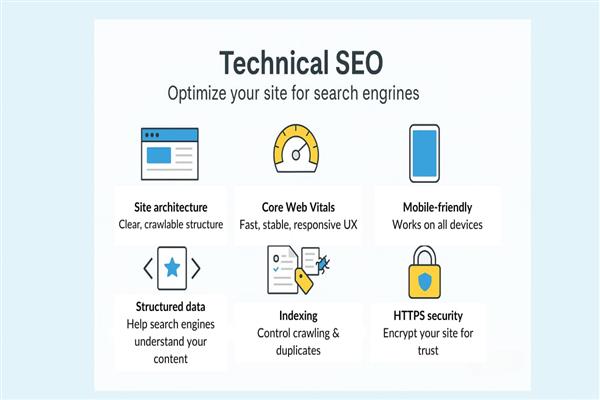
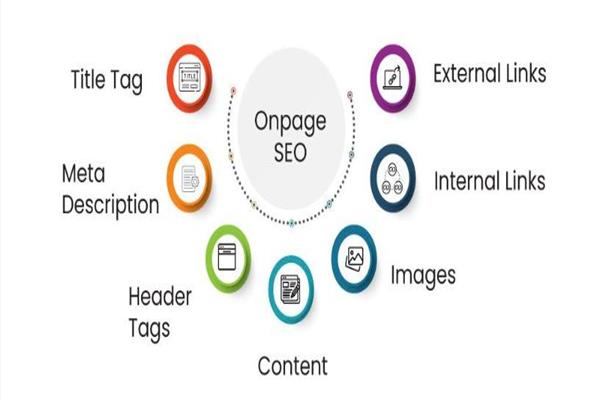
- Technical SEO + On-page SEO + UX optimization
When done properly, optimized images:
- Improve rankings
- Increase traffic
- Enhance user experience
- Improve Core Web Vitals
In 2026 and beyond, fast-loading, well-structured visual content is no longer optional — it is a ranking factor.
