In today’s digital-first world, applications, APIs, cloud platforms, and enterprise systems all rely on one critical question:
“Who are you, and what are you allowed to do?”
That’s exactly what IAM (Identity and Access Management) is designed to answer.
IAM is the backbone of modern security. It ensures that the right people and right systems have the right level of access to the right resources — at the right time.
What is IAM?
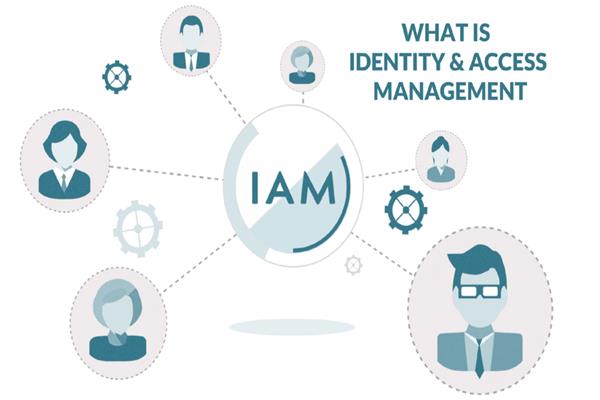
Identity and Access Management (IAM) is a framework of policies, processes, and technologies that manage:
- Identities – users, services, devices, applications
- Authentication – verifying who you are
- Authorization – determining what you can access
- Access control – enforcing permissions securely
In simple terms:
IAM controls who can log in, how they log in, and what they can do after logging in.
Why IAM Is Important
Without IAM, systems become vulnerable to:
- Unauthorized access
- Data breaches
- Insider threats
- Compliance violations
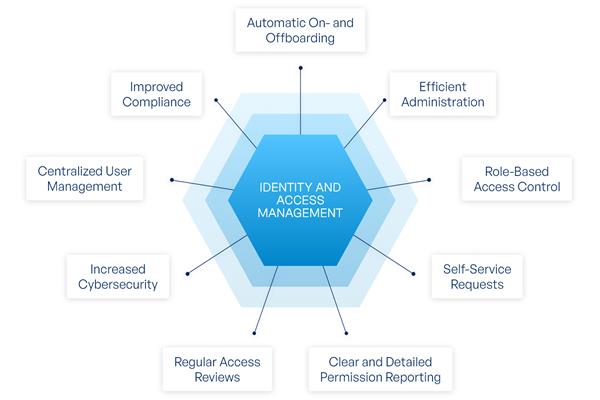
With IAM in place, organizations gain:
- Strong security boundaries
- Centralized access control
- Better compliance (GDPR, HIPAA, ISO, SOC 2)
- Reduced operational risk
- Improved user experience (SSO, passwordless login)
Core Components of IAM
1. Identity Management
Manages user identities across systems:
- Users (employees, customers)
- Service accounts
- Applications and APIs
- Devices and IoT
Includes:
- User provisioning and de-provisioning
- Profile management
- Role assignment
2. Authentication
Verifies identity using credentials such as:
- Username & password
- Multi-Factor Authentication (MFA)
- Biometrics
- OTPs
- Certificates
- Passwordless login
Common protocols:
- OAuth 2.0
- OpenID Connect (OIDC)
- SAML
3. Authorization
Defines what actions an authenticated identity can perform.
Common models:
- RBAC (Role-Based Access Control)
- ABAC (Attribute-Based Access Control)
- PBAC (Policy-Based Access Control)
Example:
- Admin → full access
- Editor → create/update
- Viewer → read-only
4. Access Control
Enforces authorization decisions across:
- Applications
- APIs
- Databases
- Cloud resources
- Infrastructure
This includes:
- Session management
- Token validation
- Permission checks
How IAM Works (High-Level Flow)
- User requests access to an application
- IAM system authenticates the user
- IAM evaluates roles, policies, and permissions
- Access is granted or denied
- All actions are logged and monitored
This process happens in milliseconds but is critical for security.
IAM in Cloud & Modern Applications
Modern IAM goes beyond just user login.
It supports:
- API authentication
- Microservices security
- Machine-to-machine access
- Zero Trust architecture
- SaaS and cloud platforms
Cloud IAM examples:
- AWS IAM
- Azure Active Directory (Entra ID)
- Google Cloud IAM
IAM vs Authentication vs Authorization
| Term | Purpose |
|---|---|
| Authentication | Who are you? |
| Authorization | What can you do? |
| IAM | Manages both + identities + policies |
IAM is the umbrella system that connects everything.
Common IAM Features
- Single Sign-On (SSO)
- Multi-Factor Authentication (MFA)
- Role & policy management
- User lifecycle management
- Audit logs & reporting
- Federation (login with Google, Microsoft, etc.)
- Passwordless authentication
IAM Security Best Practices
- Enforce least-privilege access
- Use MFA everywhere possible
- Rotate credentials regularly
- Monitor and audit access logs
- Automate user provisioning/de-provisioning
- Avoid shared accounts
- Secure service-to-service access
IAM Use Cases
- Enterprise employee access
- Customer login systems
- API security
- SaaS applications
- Cloud infrastructure access
- DevOps and CI/CD pipelines
Conclusion
IAM is no longer optional — it’s a foundation of digital security.
As systems grow more distributed and cloud-native, IAM ensures:
- Strong identity verification
- Controlled access
- Compliance readiness
- Scalable security
Whether you’re building an enterprise platform, a SaaS product, or a secure API, a solid IAM strategy is essential.
