Sending SMS messages from a .NET application is a common requirement for:
- OTP verification
- Login authentication
- Notifications
- Alerts
- Marketing campaigns
- Appointment reminders
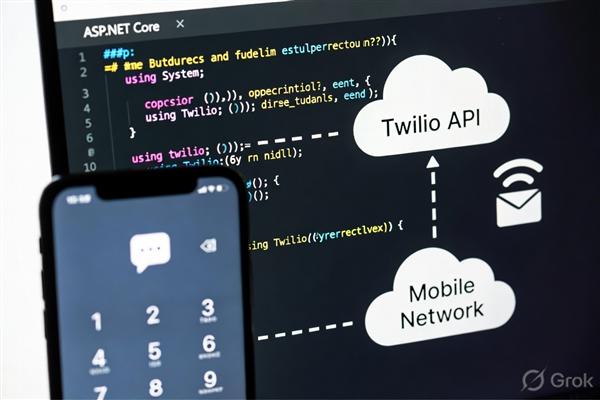
In this blog, we’ll build a simple SMS sending feature using .NET and an SMS gateway API.
Prerequisites
Before starting, make sure you have:
- Visual Studio installed
- .NET 6/7/8 SDK
- Internet connection
- SMS provider account (Twilio, Fast2SMS, TextLocal, etc.)
For this tutorial, we’ll use:
- ASP.NET Core Web API
- Twilio SMS API
Step 1: Create a New .NET Project
Open terminal or Visual Studio.
Create a new Web API project:
dotnet new webapi -n SmsSenderAppMove into the project folder:
cd SmsSenderAppStep 2: Install Twilio Package
Install the Twilio NuGet package:
dotnet add package TwilioStep 3: Create a Twilio Account
Go to:
- Twilio
- After signup, collect:
- Account SID
- Auth Token
- Twilio Phone Number
Step 4: Configure App Settings
Open appsettings.json.
Add:
{
  "Twilio": {
    "AccountSid": "YOUR_ACCOUNT_SID",
    "AuthToken": "YOUR_AUTH_TOKEN",
    "PhoneNumber": "+1234567890"
  }
}
Step 5: Create SMS Service
Create a folder named:
ServicesInside it, create:
SmsService.csAdd the following code:
using Twilio;
using Twilio.Rest.Api.V2010.Account;
using Twilio.Types;

namespace SmsSenderApp.Services
{
    public class SmsService
    {
        private readonly IConfiguration _configuration;

        public SmsService(IConfiguration configuration)
        {
            _configuration = configuration;
        }

        public async Task<string> SendSms(string to, string message)
        {
            var accountSid = _configuration["Twilio:AccountSid"];
            var authToken = _configuration["Twilio:AuthToken"];
            var fromNumber = _configuration["Twilio:PhoneNumber"];

            TwilioClient.Init(accountSid, authToken);

            var result = await MessageResource.CreateAsync(
                body: message,
                from: new PhoneNumber(fromNumber),
                to: new PhoneNumber(to)
            );

            return result.Sid;
        }
    }
}
Step 6: Register the Service
Open Program.cs.
Add this line:
builder.Services.AddScoped<SmsService>();Example:
var builder = WebApplication.CreateBuilder(args);

builder.Services.AddControllers();
builder.Services.AddEndpointsApiExplorer();
builder.Services.AddSwaggerGen();

builder.Services.AddScoped<SmsService>();

var app = builder.Build();
Step 7: Create SMS Controller
Create a controller:
Controllers/SmsController.csAdd the following code:
using Microsoft.AspNetCore.Mvc;
using SmsSenderApp.Services;

namespace SmsSenderApp.Controllers
{
    [ApiController]
    [Route("api/[controller]")]
    public class SmsController : ControllerBase
    {
        private readonly SmsService _smsService;

        public SmsController(SmsService smsService)
        {
            _smsService = smsService;
        }

        [HttpPost("send")]
        public async Task<IActionResult> SendSms(string mobile, string message)
        {
            var response = await _smsService.SendSms(mobile, message);

            return Ok(new
            {
                Success = true,
                MessageId = response
            });
        }
    }
}
Step 8: Run the Application
Run the application:
dotnet runSwagger will open automatically.
Test API:
POST /api/sms/sendExample request:
mobile=+919876543210
message=Hello from .NET SMS Service
Step 9: Successful SMS Response
Example response:
{
  "success": true,
  "messageId": "SMXXXXXXXXXXXXXXXX"
}
Complete Project Structure
SmsSenderApp
│
├── Controllers
│   └── SmsController.cs
│
├── Services
│   └── SmsService.cs
│
├── appsettings.json
├── Program.cs
Security Best Practices
Never:
- Hardcode credentials
- Expose Auth Tokens publicly
- Commit secrets to GitHub
Use:
- Environment variables
- Azure Key Vault
- Secret Manager
Example:
dotnet user-secrets initSending OTP SMS
Example OTP generation:
Random random = new Random();
int otp = random.Next(100000, 999999);
Send:
await _smsService.SendSms(
    "+919876543210",
    $"Your OTP is: {otp}"
);
Alternative SMS Providers
You can also integrate:
| Provider | Best For |
|---|---|
| Twilio | Global SMS |
| Fast2SMS | India |
| TextLocal | OTP & alerts |
| MSG91 | Indian businesses |
| AWS SNS | Enterprise systems |
Advantages of SMS Integration
- Fast communication
- Better customer engagement
- Secure OTP verification
- Real-time alerts
- Works without internet on phones
Conclusion
Implementing SMS functionality in .NET is simple using modern SMS APIs like Twilio. By creating a reusable SMS service, you can integrate:
- OTP systems
- Login verification
- Notification systems
- Marketing alerts
- Appointment reminders
With just a few lines of code, your .NET application can send SMS messages globally in real time.
