SQL functions are one of the most powerful features in databases. They help you process, transform, and analyze data directly inside your queries—making your code cleaner, faster, and more reusable.
What is a SQL Function?
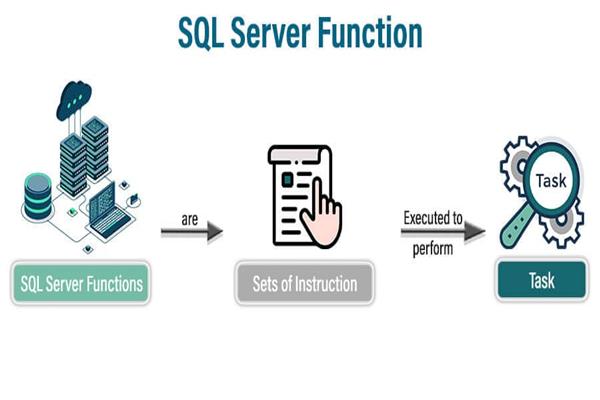
A SQL function is a predefined or user-defined routine that takes input, performs some operation, and returns a value.
In short:
SQL Function = Input → Process → Output
Why Use SQL Functions?
- Simplify queries – Avoid writing complex logic repeatedly
- Improve readability – Cleaner and structured SQL
- Boost performance – Process data at the database level
- Reusability – Write once, use many times
Types of SQL Functions
1. Built-in Functions
These are provided by the database system.
a) Aggregate Functions
Used to perform calculations on multiple rows.
Examples:
SELECT COUNT(*) FROM Employees;
SELECT SUM(Salary) FROM Employees;
SELECT AVG(Salary) FROM Employees;
SELECT MAX(Salary), MIN(Salary) FROM Employees;
b) Scalar Functions
Operate on a single value and return a single value.
Examples:
SELECT UPPER(Name) FROM Employees;
SELECT LOWER(Name) FROM Employees;
SELECT LEN(Name) FROM Employees;
SELECT GETDATE();
c) String Functions
SELECT CONCAT(FirstName, ' ', LastName) AS FullName FROM Employees;
SELECT SUBSTRING(Name, 1, 3) FROM Employees;
d) Date Functions
SELECT GETDATE();
SELECT DATEADD(DAY, 5, GETDATE());
SELECT DATEDIFF(DAY, '2025-01-01', GETDATE());
2. User-Defined Functions (UDF)
You can create your own functions for custom logic.
a) Scalar Function Example
CREATE FUNCTION dbo.GetFullName
(
    @FirstName VARCHAR(50),
    @LastName VARCHAR(50)
)
RETURNS VARCHAR(100)
AS
BEGIN
    RETURN @FirstName + ' ' + @LastName;
END;
Usage:
SELECT dbo.GetFullName('John', 'Doe');b) Table-Valued Function Example
Returns a table instead of a single value.
CREATE FUNCTION dbo.GetHighSalaryEmployees
(
    @Salary INT
)
RETURNS TABLE
AS
RETURN
(
    SELECT * FROM Employees WHERE Salary > @Salary
);
Usage:
SELECT * FROM dbo.GetHighSalaryEmployees(50000);Key Differences
| Type | Returns | Use Case |
|---|---|---|
| Scalar Function | Single value | Calculations, formatting |
| Table-Valued Function | Table | Filtering, reusable queries |
| Aggregate Function | Single value | Data summaries |
Best Practices
- Avoid overusing functions in
WHEREclauses (can hurt performance) - Prefer inline table-valued functions for better optimization
- Keep functions simple and focused
- Use meaningful naming conventions
Common Mistakes
- Using scalar functions inside large queries → slows performance
- Not indexing columns used in function logic
- Writing complex logic inside functions instead of queries
Conclusion
SQL functions make your database queries smarter and more efficient. Whether you're using built-in functions or creating your own, they help reduce repetition and improve maintainability.
