In relational databases, maintaining accurate and reliable data is critical. This is where SQL Constraints come into play. Constraints are rules applied to table columns to enforce data integrity, consistency, and validity. They prevent invalid data from being inserted into the database and ensure that relationships between tables remain intact.
What are SQL Constraints?
SQL Constraints are rules defined on columns in a table to restrict the type of data that can be stored. They act as safeguards, ensuring that only valid and meaningful data is entered into the database.
Constraints can be applied at two levels:
- Column Level – applied to a specific column
- Table Level – applied to the entire table
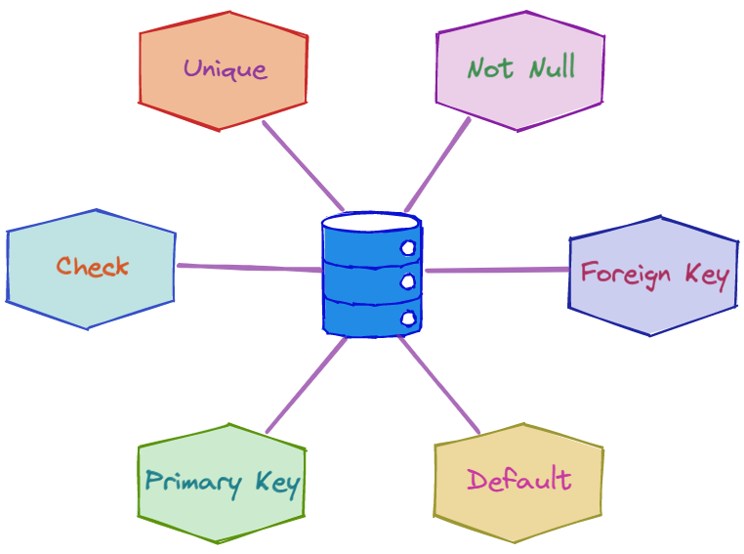
Types of SQL Constraints
1. NOT NULL Constraint
This constraint ensures that a column cannot have a NULL value.
CREATE TABLE Users (
    Id INT NOT NULL,
    Name VARCHAR(100) NOT NULL
);
Use Case: Mandatory fields like username, email.
2. UNIQUE Constraint
Ensures that all values in a column are different.
CREATE TABLE Users (
    Email VARCHAR(100) UNIQUE
);
Use Case: Email IDs, phone numbers.
3. PRIMARY KEY Constraint
A combination of NOT NULL and UNIQUE. It uniquely identifies each record in a table.
CREATE TABLE Users (
    Id INT PRIMARY KEY,
    Name VARCHAR(100)
);
Key Points:
- Only one primary key per table
- Can be composite (multiple columns)
4. FOREIGN KEY Constraint
Maintains referential integrity between two tables.
CREATE TABLE Orders (
    OrderId INT PRIMARY KEY,
    UserId INT,
    FOREIGN KEY (UserId) REFERENCES Users(Id)
);
Use Case: Linking related data (Users → Orders)
5. CHECK Constraint
Ensures that values meet a specific condition.
CREATE TABLE Employees (
    Age INT CHECK (Age >= 18)
);
Use Case: Age validation, salary limits.
6. DEFAULT Constraint
Provides a default value when none is specified.
CREATE TABLE Users (
    Status VARCHAR(20) DEFAULT 'Active'
);
Use Case: Status fields, timestamps.
7. INDEX Constraint (Implicit)
Although not always classified as a constraint, indexes improve query performance and can enforce uniqueness.
Why Use SQL Constraints?
- Data Integrity
- Prevents invalid or inconsistent data.
- Accuracy
- Ensures only meaningful values are stored.
- Relationship Management
- Maintains proper links between tables.
- Error Reduction
- Reduces application-level validation effort.
Adding Constraints to Existing Tables
ALTER TABLE Users
ADD CONSTRAINT UQ_Email UNIQUE (Email);
Dropping Constraints
ALTER TABLE Users
DROP CONSTRAINT UQ_Email;
Best Practices
- Use PRIMARY KEY for unique identification
- Apply FOREIGN KEY for relational data
- Use CHECK for business rules
- Avoid excessive constraints that impact performance
- Name constraints clearly for maintainability
Conclusion
SQL Constraints are essential for building reliable and secure database systems. They enforce rules directly at the database level, ensuring that data remains accurate, consistent, and trustworthy. By properly using constraints like PRIMARY KEY, FOREIGN KEY, and CHECK, developers can significantly improve database design and reduce errors in applications.
