0
How do you train and evaluate a machine learning model in ML.NET?

1 Answer
1
ML.NET is basically an Open-Source ML framework which is Developed by Microsoft specially for the companies already using C#, ASP.NET Core, other.
ML.NET can be used for multiple purposes:-
- Classification
- Regression
- Image classification
- Sentiment Analysis
- Recommendation
ML.NET follows a defined process for development of any ML model
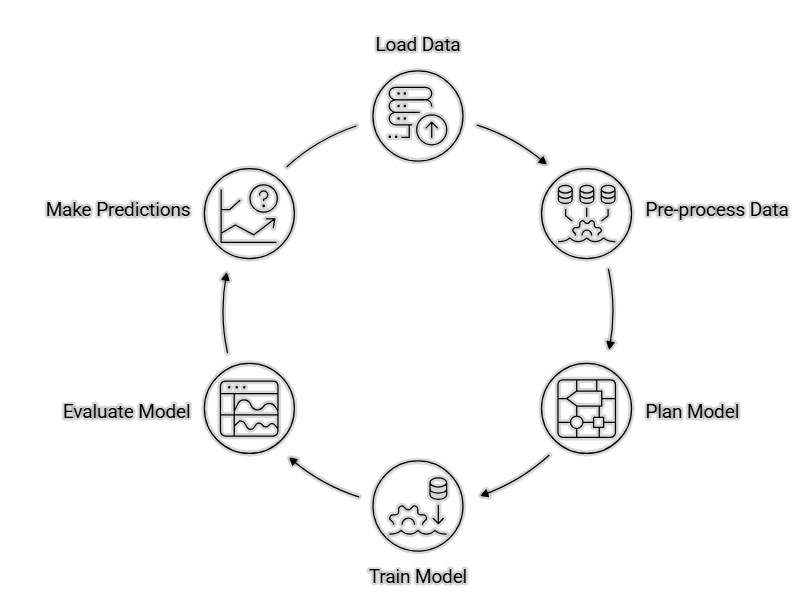
- Load Data:- firstly the dataset will be loaded.
using Microsoft.ML;
using Microsoft.ML.Data;

MLContext mlContext = new MLContext();

IDataView data = mlContext.Data.LoadFromTextFile<InputData>(
    path: "data.csv",
    hasHeader: true,
    separatorChar: ',');
2. Data preprocessing:- The collected raw data will be refined for finding meaningful data which can be used in further training process.
var pipeline = mlContext.Transforms
    .Concatenate("Features", "Feature1", "Feature2");
3. Model planning:- Model planning means selecting the right machine learning model, features, and training strategy based on the problem requirements.
4. Model training:- Model training is the process of teaching a machine learning model using data so it can learn patterns and make predictions. (taking example of Logistic Regression Model)
var trainingPipeline = pipeline.Append(
    mlContext.BinaryClassification.Trainers
    .SdcaLogisticRegression(
        labelColumnName: "Label",
        featureColumnName: "Features"));

var model = trainingPipeline.Fit(data);
5. Evaluating Model:- Model evaluation is the process of measuring how accurately a machine learning model performs on test data.
var predictions = model.Transform(data);
var metrics = mlContext.BinaryClassification
   .Evaluate(predictions);
Console.WriteLine(metrics.Accuracy);
Console.WriteLine(metrics.F1Score);
6. Model Prediction:- Model prediction is the process where a trained machine learning model uses new input data to generate an output or result.
var predictor = mlContext.Model
   .CreatePredictionEngine<InputData, PredictionOutput>(model);
var input = new InputData()
{
   Feature1 = 5,
   Feature2 = 10
};
var result = predictor.Predict(input);
Console.WriteLine(result.Prediction);
save model:- save model is to save the trained model for making predictions on new data directly from the customers.
mlContext.Model.Save(
   model,
   data.Schema,
   "LogisticRegressionModel.zip");